Blog
3D Perception: a LiDAR-Camera Pipeline — Part 3: 3D Point Cloud Processing & Clustering
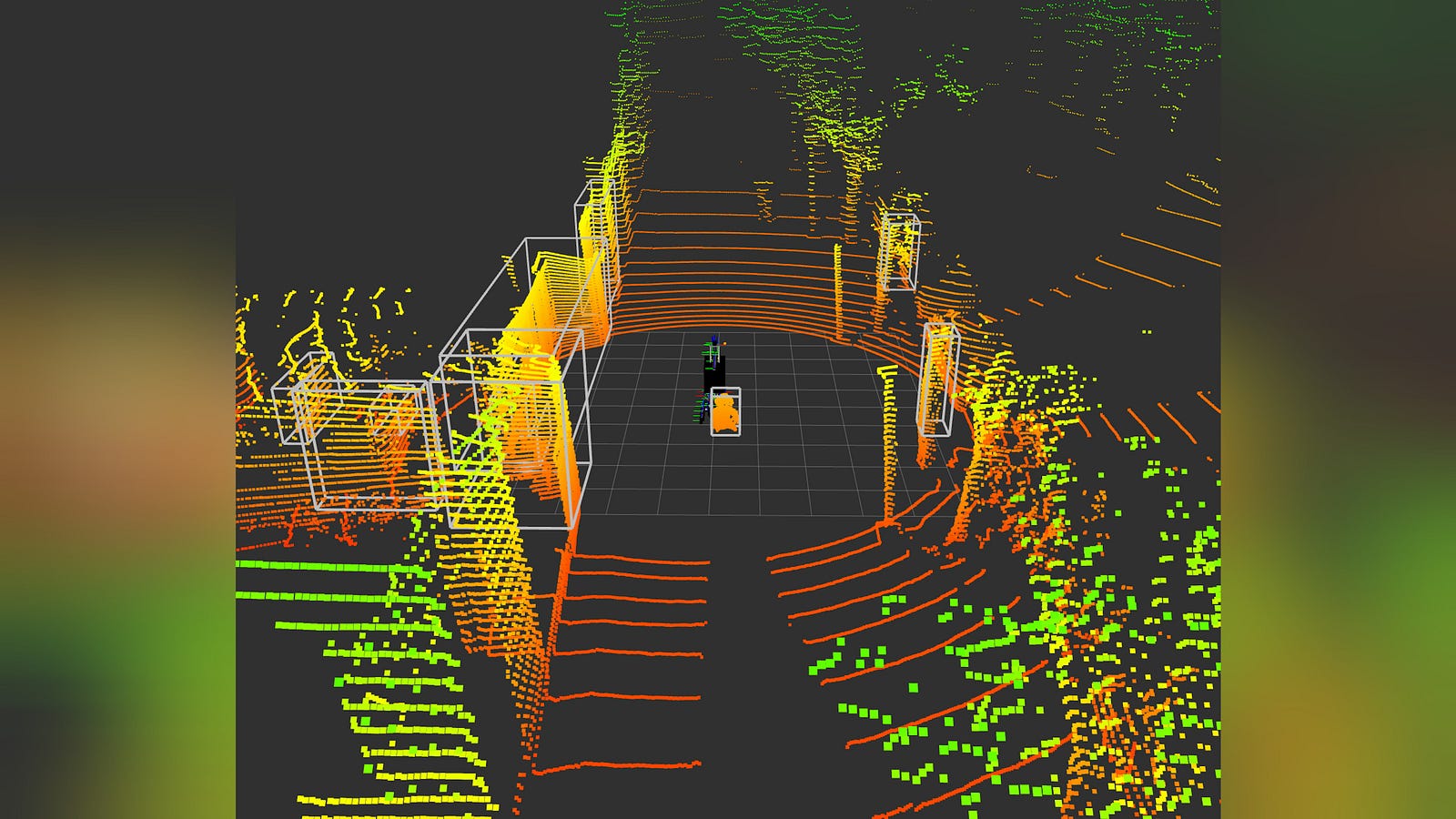
This article is part of a hands-on series building a 3D Perception Pipeline with ROS 2 Jazzy. In modern robotics, seeing isn’t enough — robots need spatial intelligence to locate objects in a 3D world.
The Project: We are building a unified system that fuses 3D LiDAR and ZED2 stereo camera data using YOLO for detection and Open3D for point cloud processing. Everything is managed via Pixi, making the environment reproducible on different systems.
The Series: These modular lessons collectively form a full end-to-end project. You can follow the step-by-step roadmap or jump into specific sensor logic as needed.
The Roadmap
Make sure to read the first 2 articles before this one.
3D Perception: a LiDAR-Camera Pipeline - Part 1: Setting Up Your Development Environment
3D Perception: a LiDAR-Camera Pipeline — Part 2: The ROS 2 Graph & Perception Data Flow
3D Perception: a LiDAR-Camera Pipeline — Part 3: 3D Point Cloud Processing & Clustering
3D Perception: a LiDAR-Camera Pipeline — Part 4: 2D Camera Detections with YOLO
3D Perception: a LiDAR-Camera Pipeline - Part 6: Projecting 3D Intelligence into a 2D Map as a…
Now that we have our environment running and understand the ROS 2 graph, it is time to build the “eyes” of our robot. In this article, we dive into the LiDAR Cluster Node.
Raw LiDAR data is nothing more than a massive, unorganized “spray” of laser pulses — tens of thousands of individual points in 3D space. To a robot, this is just noise. Our goal is to transform this “point cloud” into structured 3D Objects that the robot can actually understand.
We will use Open3D, a powerful geometry library, to perform a series of spatial filters: reducing the data density, stripping away the ground, and grouping the remaining points into distinct clusters representing cars, pedestrians, or obstacles.
Learning Objectives
By the end of this lesson, you will be able to:
- Implement High-Performance Data Conversion: Use NumPy and
point_cloud2utilities to efficiently stream binary ROS data into geometric objects. - Optimize Perception with Downsampling: Apply Voxel Grid filters to reduce computational load without losing the shape of the environment.
- Isolate Objects using RANSAC: Deploy Plane Segmentation to automatically identify and remove the road surface from a 3D scene.
- Master 3D Clustering: Use the DBSCAN algorithm to group isolated points into logical object proposals based on spatial density.
- Generate 3D Bounding Boxes: Calculate the center and dimensions of clusters to publish standard
vision_msgsfor downstream fusion nodes.
We will now look at the code section by section.
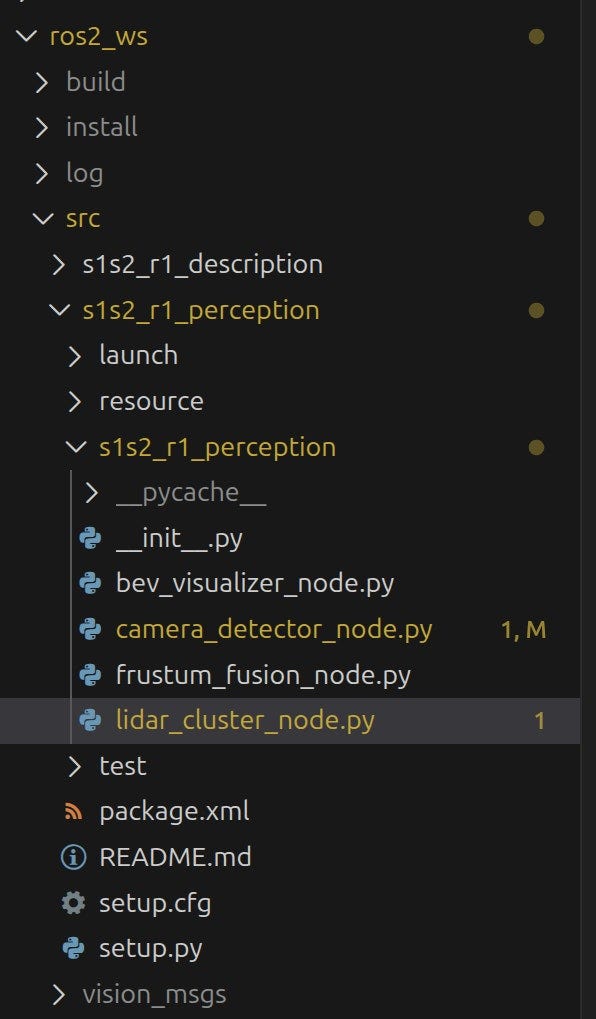
Part 1: The Import Section
This first block pulls in the specialized toolkits required for robotics, 3D geometry, and high-performance math.
import rclpy
from rclpy.node import Node
from sensor_msgs.msg import PointCloud2
from sensor_msgs_py import point_cloud2
from vision_msgs.msg import Detection3DArray, Detection3D, BoundingBox3D, ObjectHypothesisWithPose, ObjectHypothesis
from geometry_msgs.msg import Pose, PoseWithCovariance
import open3d as o3d
import numpy as np- ROS 2 Core (
rclpy): The standard Python library for ROS 2 that allows this script to function as a node. - Sensor & Vision Messages: Includes
PointCloud2for raw data andDetection3DArrayfor our output bounding boxes. - Open3D (
o3d): Our primary 3D engine used for the heavy-duty geometry algorithms. - NumPy (
np): Essential for handling massive arrays of coordinates efficiently.
Part 2: Node Initialization & Parameters
Here, we define our class and the “knobs” used to tune the perception logic.
class LidarClusterNode(Node):
    def __init__(self):
        super().__init__('lidar_cluster_node')

        # Parameters (configurable via CLI or launch)
        self.declare_parameter('voxel_size', 0.05)
        self.declare_parameter('ground_distance_threshold', 0.5)
        self.declare_parameter('cluster_tolerance', 0.5)
        self.declare_parameter('min_cluster_size', 50)
        self.declare_parameter('max_cluster_size', 1000)

        self.voxel_size = self.get_parameter('voxel_size').value
        self.ground_dist = self.get_parameter('ground_distance_threshold').value
        self.cluster_tol = self.get_parameter('cluster_tolerance').value
        self.min_cluster = self.get_parameter('min_cluster_size').value
        self.max_cluster = self.get_parameter('max_cluster_size').value
By using self.declare_parameter, we make the pipeline modular. We can adjust the voxel size (resolution) or ground threshold (how much road to remove) without changing a single line of code in the future.
Part 3: Subscriptions and Publishers
In ROS 2, nodes communicate by “subscribing” to data streams they need and “publishing” the results of their work for others to use. This section sets up the data “pipes” for our node.
        # Subscription
        self.subscription = self.create_subscription(
            PointCloud2,
            '/rslidar_points',
            self.listener_callback,
            10)

        # Publishers
        self.cluster_pub = self.create_publisher(Detection3DArray, '/detection/lidar_clusters', 10)
        self.no_ground_pub = self.create_publisher(PointCloud2, '/lidar/points_no_ground', 10)

        self.get_logger().info('Lidar Cluster Node started.')
The create_subscription call tells ROS 2 to listen for PointCloud2 messages on the /rslidar_points topic.
- The Callback: Every time a new “frame” of laser points arrives, ROS will automatically trigger our
self.listener_callbackfunction. - The Queue (10): This is the Quality of Service (QoS) depth. It keeps a small buffer of 10 messages so we don’t miss a scan if our CPU is momentarily busy.
We define two separate publishers to share our processed data:
/detection/lidar_clusters: This is the primary output of this node. It sends out the 3D bounding boxes (of typeDetection3DArray) that our fusion node will use later./lidar/points_no_ground: This is a “debugging” stream. By publishing the point cloud after we’ve stripped away the road, we can visually verify in RViz that our RANSAC algorithm is working correctly without deleting the cars or obstacles.
Finally, self.get_logger().info(...) prints a message to your terminal. This is a simple but vital step to confirm that the node has initialized correctly and is ready to process data.
Part 4: The listener_callback
This function is where the actual “work” happens. It is triggered for every new LiDAR scan.
   def listener_callback(self, msg):
        # Live-update parameters from the ROS 2 server
        self.voxel_size = self.get_parameter('voxel_size').value
        self.ground_dist = self.get_parameter('ground_distance_threshold').value
        self.cluster_tol = self.get_parameter('cluster_tolerance').value
        self.min_cluster = self.get_parameter('min_cluster_size').value
        self.max_cluster = self.get_parameter('max_cluster_size').value

        # 1. Convert ROS PointCloud2 to Open3D PointCloud
        points = self.pointcloud2_to_numpy(msg)
        if points.size == 0:
            return

        pcd = o3d.geometry.PointCloud()
        pcd.points = o3d.utility.Vector3dVector(points)
The first step is always translation. We take the raw binary data (msg), convert it into a NumPy array using our helper function, and then wrap it into an o3d.geometry.PointCloud object. This effectively “unlocks” all the high-performance 3D algorithms provided by the Open3D library.
Raw LiDAR data is often too dense for real-time CPU processing. We use a Voxel Grid filter to simplify the scene.
        # 2. Downsample (Voxel Grid)
        pcd_down = pcd.voxel_down_sample(voxel_size=self.voxel_size)
A Voxel is essentially a 3D pixel (a volume element). By setting voxel_size to 0.05 (5cm), we collapse all points within a 5cm cube into a single point. This drastically reduces the number of points the computer has to “think” about while preserving the overall shape of the objects.
To find objects like cars or pedestrians, we first need to remove the road. We use the RANSAC (Random Sample Consensus) algorithm to identify the ground plane.
        # 3. Segment Ground (RANSAC)
        if len(pcd_down.points) < 3:
            self.get_logger().warn(f'Not enough points after downsampling: {len(pcd_down.points)}')
            return

        plane_model, inliers = pcd_down.segment_plane(distance_threshold=self.ground_dist,
                                                     ransac_n=3,
                                                     num_iterations=100)

        # Extract non-ground points
        pcd_no_ground = pcd_down.select_by_index(inliers, invert=True)
        if len(pcd_no_ground.points) == 0:
            return
RANSAC randomly picks three points to define a plane and checks how many other points fit that plane. It repeats this 100 times to find the “best fit” for the road.
The inliers are the points that belong to the road. By setting invert=True, we tell Open3D to keep everything except the road, leaving us with only the “floating” objects.
Now that the ground is gone, we have isolated groups of points. We use DBSCAN (Density-Based Spatial Clustering) to group these points into individual objects.
        # 4. Extract Clusters (Euclidean Clustering)
        labels = np.array(pcd_no_ground.cluster_dbscan(eps=self.cluster_tol, min_points=self.min_cluster, print_progress=False))
The parameters are:
- eps (Tolerance): The maximum distance between points to be considered “neighbors”.
- min_points: The minimum number of points required to form a valid cluster (filtering out small sensor noise).
Every point is assigned a label (e.g., 0 for the first car, 1 for the second). Points that don’t belong to any cluster are labeled -1 and ignored.
Finally, we loop through each cluster to calculate its physical boundaries.
        # Prepare Detection3DArray
        detections = Detection3DArray()
        detections.header = msg.header

        max_label = labels.max() if labels.size > 0 else -1

        for i in range(max_label + 1):
            cluster_indices = np.where(labels == i)[0]
            if len(cluster_indices) < self.min_cluster:
                continue

            cluster_pcd = pcd_no_ground.select_by_index(cluster_indices)

            # Compute AABB or OBB
            aabb = cluster_pcd.get_axis_aligned_bounding_box()
            center = aabb.get_center()
            extent = aabb.get_extent()
For each group of points, we find the center and the extent (width, height, depth). This transforms a “cloud of points” into a mathematical box that a robot can use for path planning or obstacle avoidance.
A single LiDAR scan usually contains multiple objects. We store these in a Detection3DArray, which acts as a list of 3D boxes.
            detection = Detection3D()
            detection.header = msg.header

            hypothesis = ObjectHypothesisWithPose()
            hp = ObjectHypothesis()
            hp.class_id = f'cluster_{i}'
            hp.score = 1.0
            hypothesis.hypothesis = hp


            hypothesis.pose = PoseWithCovariance()
            hypothesis.pose.pose = Pose()
            hypothesis.pose.pose.position.x = center[0]
            hypothesis.pose.pose.position.y = center[1]
            hypothesis.pose.pose.position.z = center[2]
            hypothesis.pose.pose.orientation.x = 0.0
            hypothesis.pose.pose.orientation.y = 0.0
            hypothesis.pose.pose.orientation.z = 0.0
            hypothesis.pose.pose.orientation.w = 1.0
            detection.results.append(hypothesis)

            bbox = BoundingBox3D()
            bbox.center.position.x = center[0]
            bbox.center.position.y = center[1]
            bbox.center.position.z = center[2]
            bbox.size.x = extent[0]
            bbox.size.y = extent[1]
            bbox.size.z = extent[2]

            detection.bbox = bbox
            detections.detections.append(detection)
The vision_msgs format is designed to be very flexible.
Detection3DArray: The container for the whole frame.results: Allows one detection to have multiple “guesses” (e.g., 80% chance it’s a car, 20% it’s a truck).bbox: The physical 3D parameters —the center (x, y, z) and the size (width, height, depth).
Once the array is full, we send it out to the ROS 2 network.
        # Publish results
        self.cluster_pub.publish(detections)

        # Publish No-Ground PointCloud for debugging
        no_ground_msg = self.numpy_to_pointcloud2(np.asarray(pcd_no_ground.points), msg.header)
        self.no_ground_pub.publish(no_ground_msg)
Part 5: The Helpter Functions
Next, we have two very important helper functions.
   def pointcloud2_to_numpy(self, msg):
        # 1. Create a generator for the points
        gen = point_cloud2.read_points(msg, field_names=("x", "y", "z"), skip_nans=True)

        # 2. Define the data type for the generator (3 floats for x, y, z)
        # We use a structured dtype to match the generator's output
        dtype = [('x', np.float32), ('y', np.float32), ('z', np.float32)]

        # 3. Use fromiter to pull data directly into NumPy without creating a Python list
        structured_array = np.fromiter(gen, dtype=dtype)

        # 4. Convert the structured array to a standard Nx3 float32 array
        # .view transforms the memory layout without copying the data
        if structured_array.size > 0:
            points = structured_array.view(np.float32).reshape(-1, 3)

            # 5. Final safety check for invalid numbers
            points = points[np.isfinite(points).all(axis=1)]
            return points

        return np.zeros((0, 3), dtype=np.float32)
This high-performance translator streams raw binary LiDAR data into a structured NumPy array while stripping out invalid coordinates. It ensures the data is in a clean N x 3 format ready for real-time geometric processing.
   def numpy_to_pointcloud2(self, points, header):
        # Create PointCloud2 from numpy array (Nx3)
        return point_cloud2.create_cloud_xyz32(header, points)
This function performs the inverse operation, converting processed NumPy coordinates back into a ROS-compatible message. It preserves the original header to ensure the data remains perfectly synchronized and aligned in the 3D world.
Part 6: The Entry Point (main)
Finally, the standard “boilerplate” that starts the node.
def main(args=None):
    rclpy.init(args=args)
    node = LidarClusterNode()
    rclpy.spin(node)
    node.destroy_node()
    rclpy.shutdown()

if __name__ == '__main__':
    main()
rclpy.spin(node) is a blocking call that keeps the script alive. It waits for new LiDAR data to arrive on the subscription and immediately triggers the listener_callback to start the processing cycle again.
Now that we understand how the code works and can see it running, let’s explore how these parameters act as the “tuning knobs” for your robot’s perception.
# 1. Adjust the 'floor' sensitivity
ros2 param set /lidar_cluster_node ground_distance_threshold 0.6

# 2. Filter out small sensor noise or 'ghost' objects
ros2 param set /lidar_cluster_node min_cluster_size 100

# 3. Change how close points must be to form an object
ros2 param set /lidar_cluster_node cluster_tolerance 0.7

# 4. Change the processing resolution (smaller = more detail but slower)
ros2 param set /lidar_cluster_node voxel_size 0.02
Try increasing the ground_distance_threshold and watch as the algorithm begins to “eat” the bottom of the cars. If it’s too high, your obstacles disappear; if it’s too low, the road remains, and everything merges into one giant “ground” cluster.
Also published on Medium.